


If you are wondering how to use HANDDN’s 3D custom watch strap tool, this guide will walk you through the process step by step. With HANDDN’s interactive 3D configurator, you can design your own leather watch strap, preview it in real time, and customize every detail before placing your order.
CLICK NOW: 3D custom watch strap toolOverview of HANDDN’s 3D custom watch strap tool interface
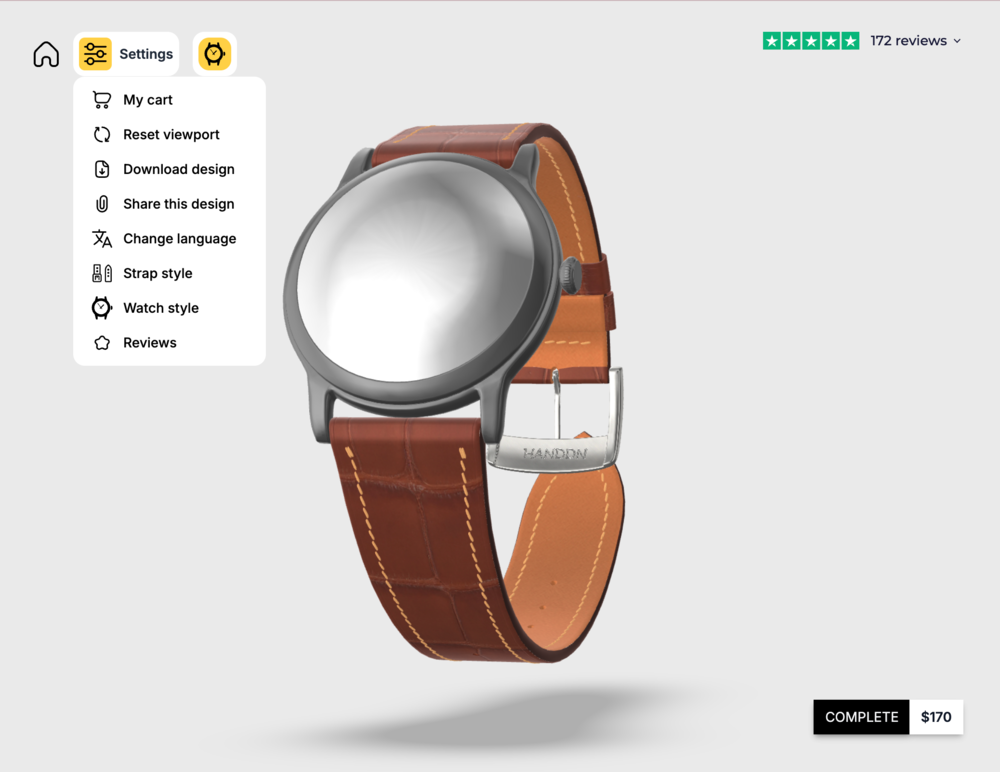
HANDDN’s tool is designed to provide an intuitive experience that lets users design their watch strap while instantly previewing the result in a realistic 3D environment. At the center of the interface, a 3D model displays the watch and strap, allowing you to rotate the view and observe how every adjustment affects the final appearance.
The interface provides several key control sections that guide the customization process. The Settings panel offers essential functions, also allows you to select the watch style and case color, helping you visualize how the strap will look when paired with your own watch.
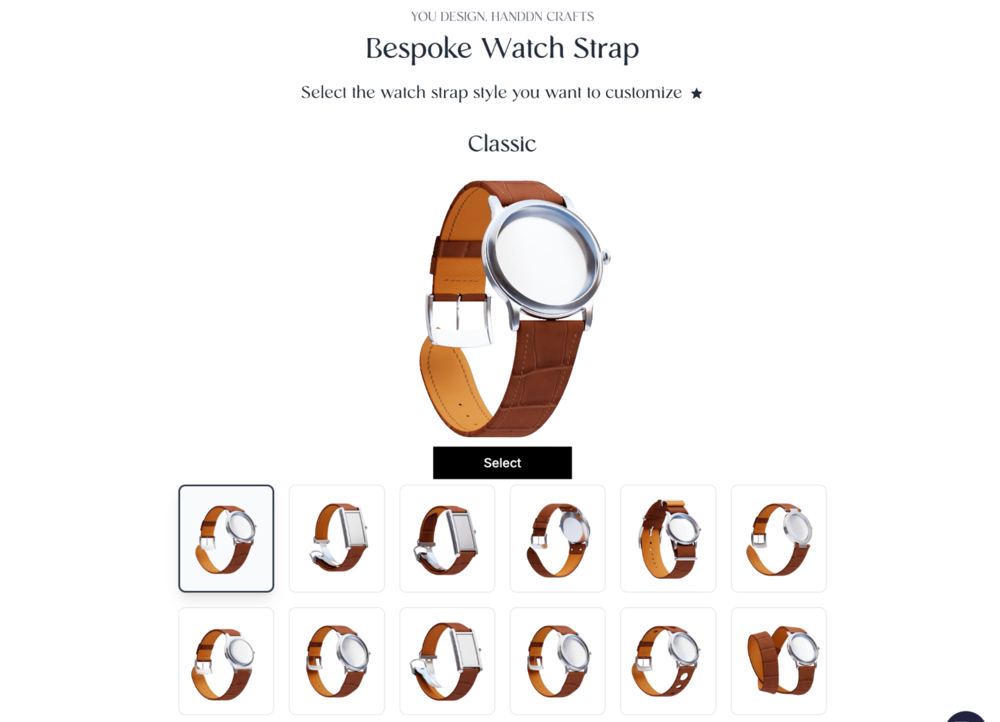
In the “Settings” section under “Watch Style“, users can also choose from 12 popular watch strap styles available in the configurator, including Classic, Single Folding, Double Folding, Fixed Bars, NATO, Middle Cut, Wings Cut, Pilot, Fixed Two Sides, Rally with small holes, Rally with large holes, and Double Roll. Each style is presented with a visual preview so users can quickly select the design that best suits their watch and personal preference.
Customize your strap using HANDDN’s 3D custom watch strap tool
Once the watch style and strap style are selected, users can proceed to the next stage of the configurator, where you can begin customizing materials, stitching, dimensions, and other design details of the strap.
Step 1: Select the Material
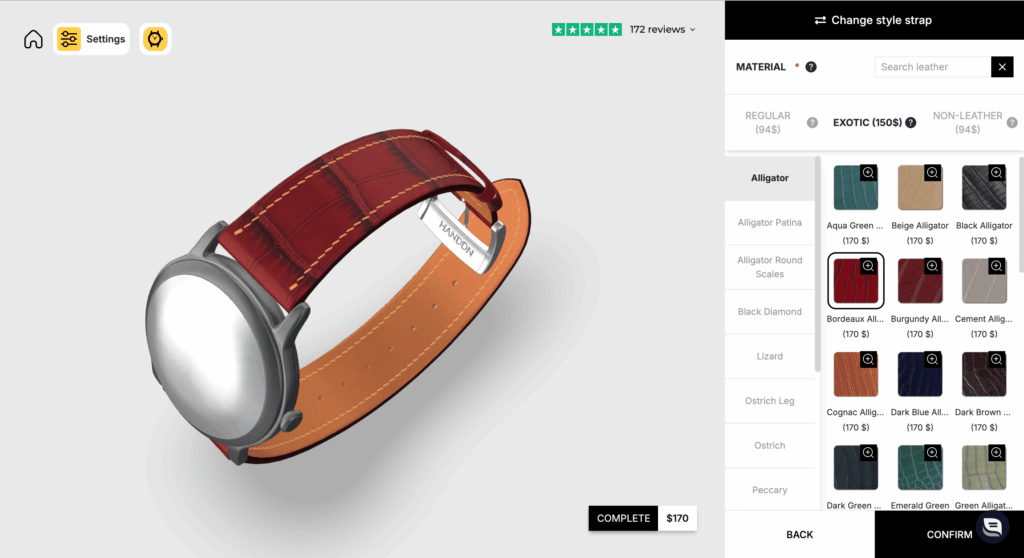
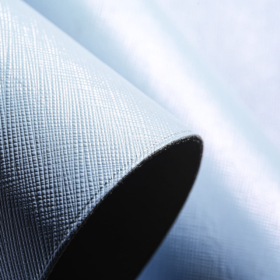
In HANDDN’s 3D custom watch strap tool, users can choose from 35 different materials, grouped into three main categories to help simplify the selection process. These include Regular Leather with 19 different leather types, Exotic Leather with 13 distinctive options, and Non-Leather materials 3. Each material type is available in multiple color variations, giving you the flexibility to explore different tones and combinations until you find the perfect match for your watch.
Step 2: Choose the Lining
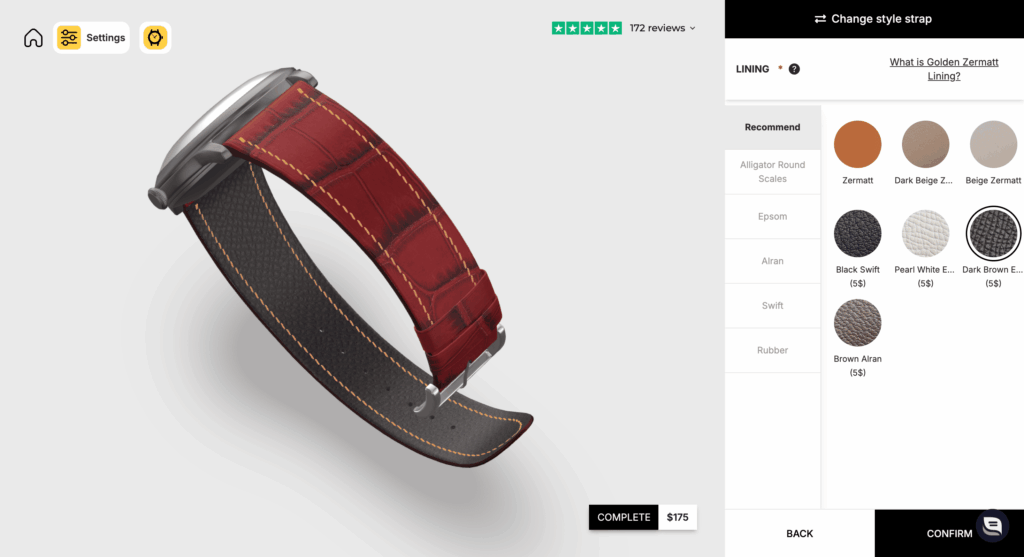
There are five lining material options available: Alligator Round Scales, Epsom, Alran, Swift, and Rubber. Each lining offers different characteristics in terms of texture, comfort, and durability. To help users make a quicker decision, the configurator also highlights a “Recommend” lining section, featuring the most popular and commonly chosen options among customers.
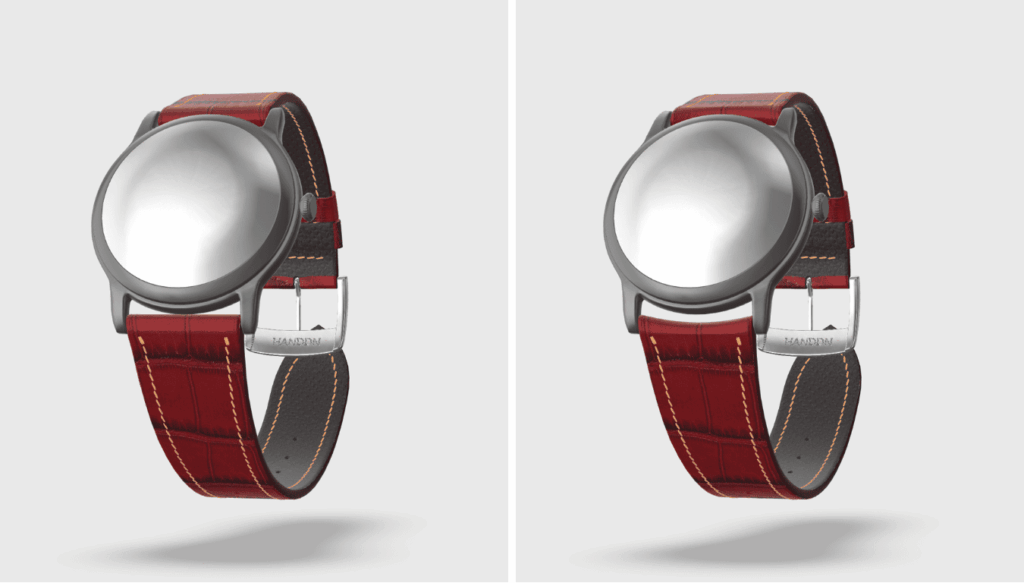
Step 3: Set the Curved End
In this step, you can choose Yes or No for the Curved End option. Curved-end straps are designed for watches with short lugs, helping the strap fit closely to the watch case and preventing the leather from rubbing. If you select Yes, please enter your watch model name in the Note field so HANDDN can ensure the curved end is crafted to fit your watch properly.
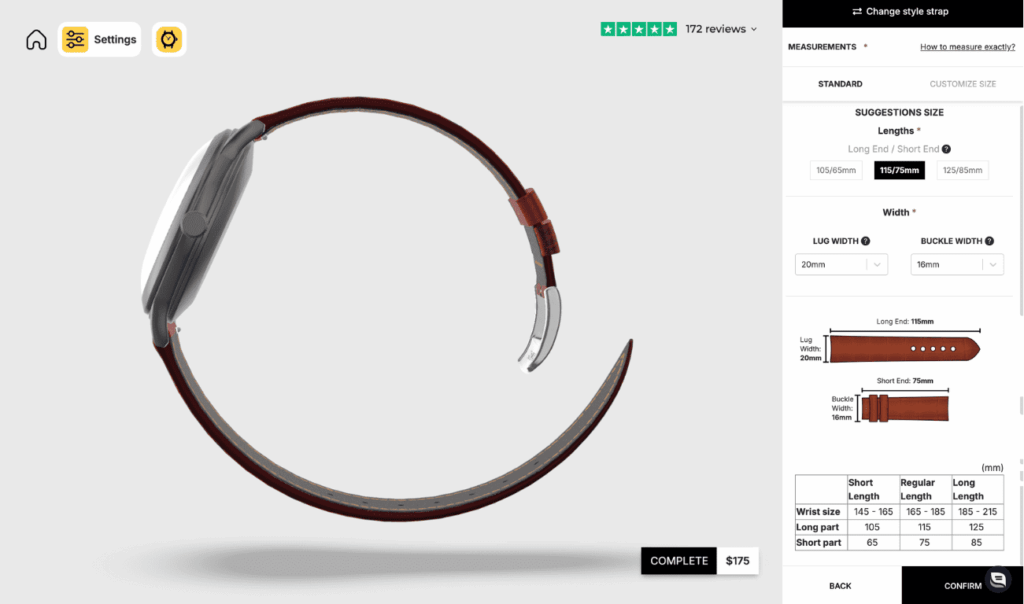
Step 4: Define the Measurements
In this step, you can adjust the strap measurements to fit your watch and wrist. The tool allows you to choose the strap length by selecting the Long End and Short End combination, while the Lug Width and Buckle Width can be selected from a dropdown menu to match your watch specifications.
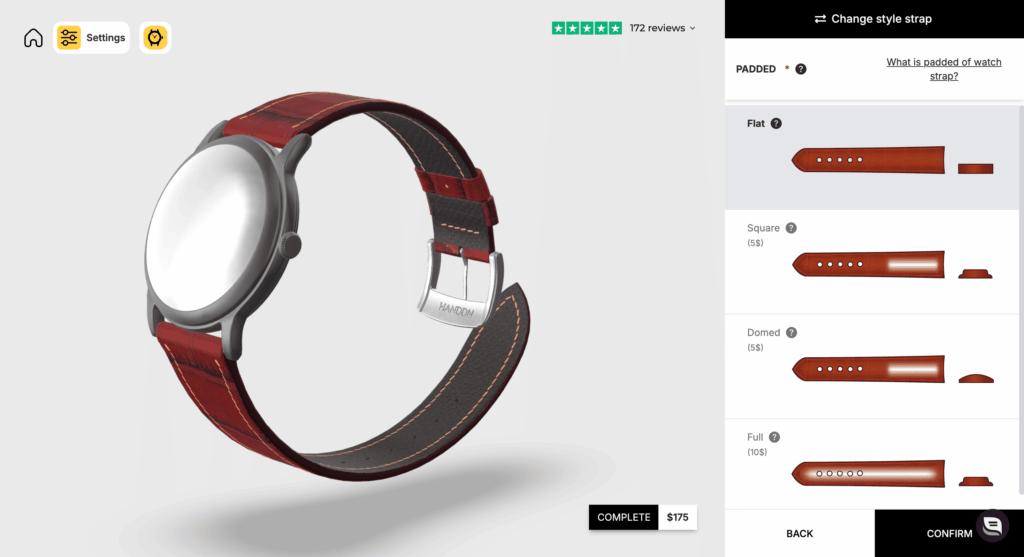
Step 5: Choose the Padding Style
HANDDN’s default padding is Flat, but you can also choose from three optional styles: Domed, which features a gently rounded elevation in the center; Square, characterized by a more angular and structured padding; and Full, where the padding extends evenly across the entire width of the strap for a thicker and more cushioned profile.
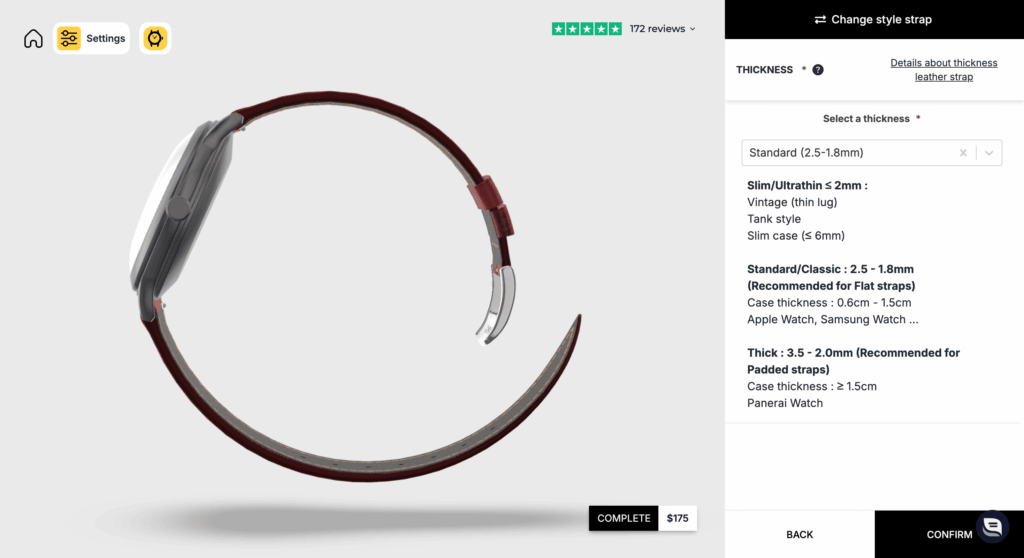
Step 6: Adjust the Strap Thickness
In this step, you can select the strap thickness from several preset options, such as Slim, Standard, Thick, Super Thick, or Over Thick, depending on the look and feel you want to achieve. If needed, you can also choose a custom thickness to create a more personalized fit and appearance.
Step 7: Select the Tip Shape
In this step, you can select the tip shape of your strap to match your preferred style. Each option slightly changes the overall look of the strap:
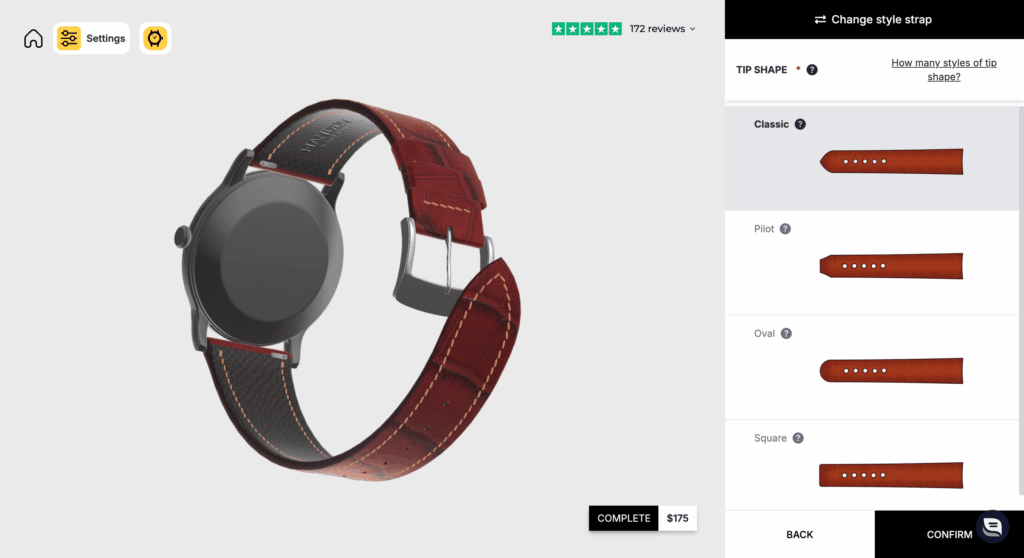
- Classic: A slightly pointed tip, ideal for a timeless and versatile appearance.
- Square: A straight end for a clean, modern, and structured look.
- Oval: A rounded tip that creates a softer and more refined style.
- Pilot: A more angular shape with a bold, rugged feel, commonly used for aviation-style watches (not compatible with folded edges).
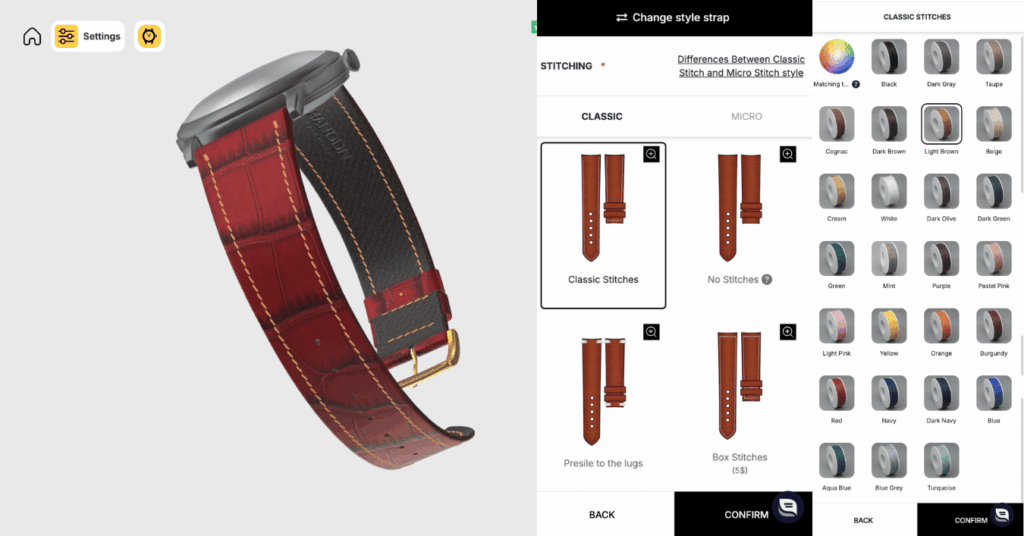
Step 8: Customize the Stitching
Start by selecting one of the 7 available stitch styles, then confirm your choice to proceed to selecting the stitch color. As you adjust each option, the 3D preview will update in real time, allowing you to see the changes instantly and refine your selection until you are fully satisfied.
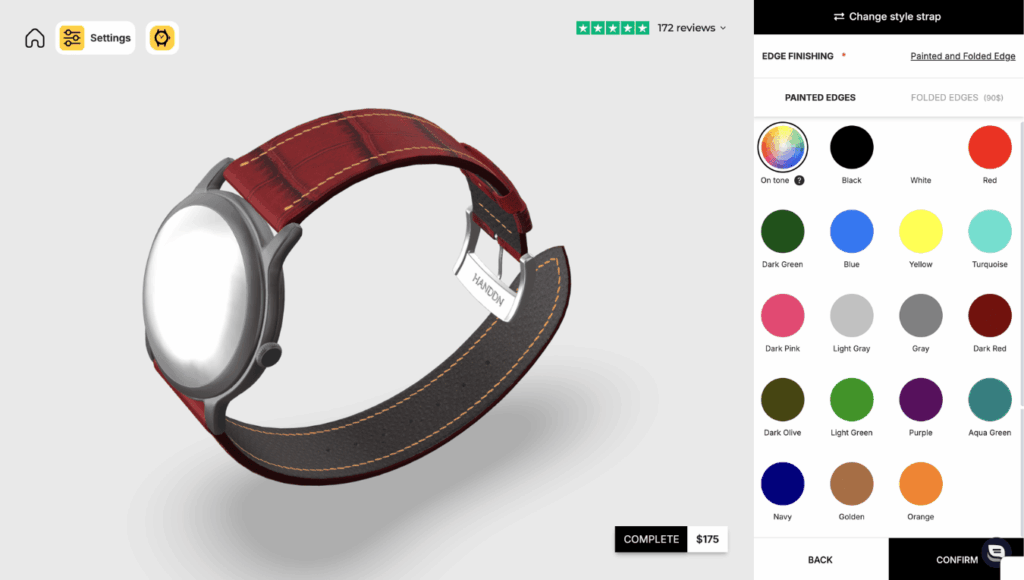
Step 9: Choose Edge Finishing
In this step, you can select the edge finishing of your strap, with two main options available. Folded Edge offers a more durable construction with a slightly thicker and premium feel, while Painted Edge provides a smoother, slimmer finish with a variety of color options.
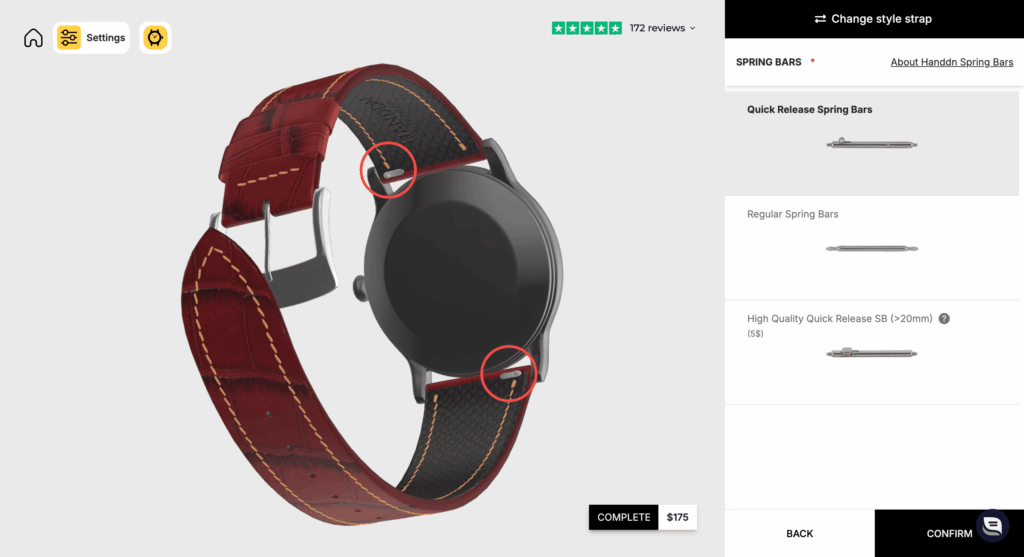
Step 10: Select the Spring Bars
- Quick Release: Features a built-in lever for tool-free strap changes in seconds – Daily convenience.
- Regular: The traditional pin requiring a spring bar tool.
- High Quality Quick Release: A heavy-duty version for wider lugs. Best for: Heavy timepieces (20mm+ width).
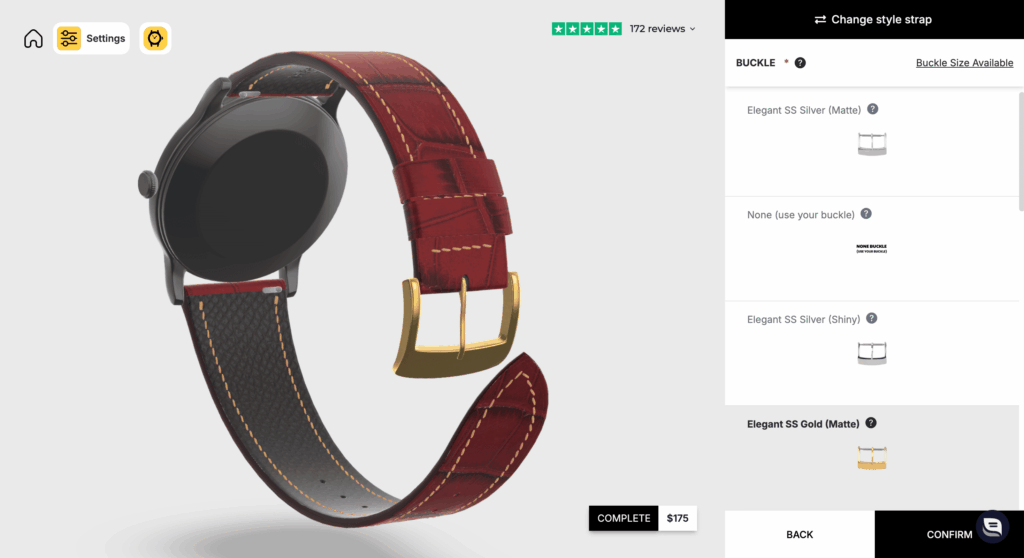
Step 11: Choose the Buckle
Complete your custom strap by choosing from 4 distinct buckle styles, ranging from classic pins to secure deployants. For a flawless look, simply match the buckle’s color and finish (Shiny or Matte) directly to your watch case to ensure a seamless, premium aesthetic.
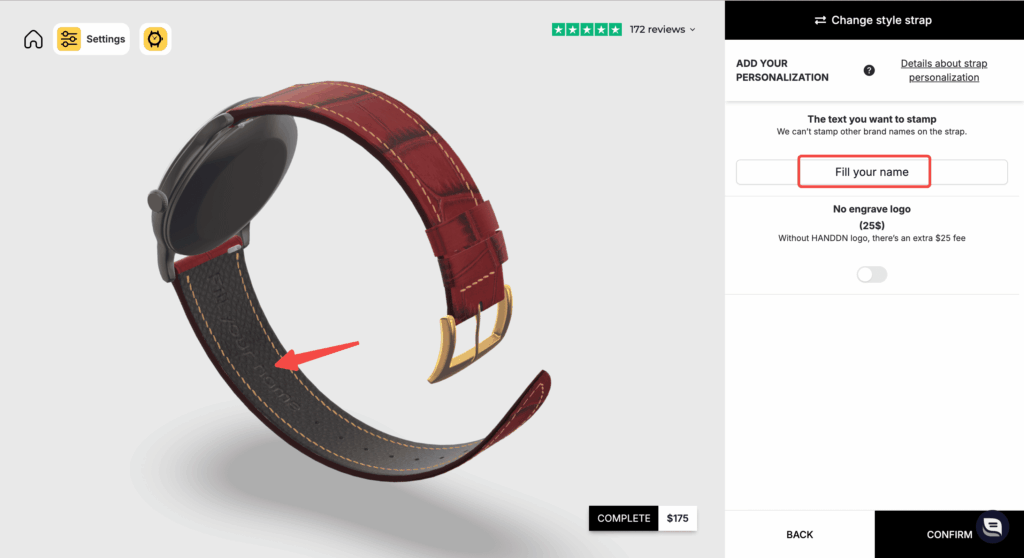
Step 12: Add Personalization and Notes
Add Personalization by Hand-stamp your initials or a special date (up to 10 characters) on the inner lining. If you have a specific request or a unique watch model? Use the note box to share your requirements or upload a photo.
Once you are completely satisfied with your design, simply review the 3D model one last time and click “COMPLETE” to finalize your order.
Looking for something even more exclusive? If you have a highly specific vision in mind – such as a unique pattern, or a fully bespoke design not available in the standard tool. We would love to hear from you. Reach out to HANDDN directly for a personalized consultation. Our artisans are always ready to collaborate and bring your unique ideas to reality.
CONTACT INFORMATION
- FB: fb.com/Handdnstrap
- IG: instagram.com/handdn.store/
- WhatsApp: wa.me/84359711094
- Email: [email protected]
- Hotline: +84359711094

 3D CUSTOM WATCH STRAP
 Size Guide
 Contact Us
This is a really impressive concept. The 3D custom strap tool makes it much easier to visualize how different colors and materials will look before ordering, which is something many watch collectors struggle with when customizing their watches. For collectors who own pieces like Patek Philippe Nautilus or Patek Philippe Aquanaut, being able to design a strap that perfectly matches the dial and case is a great feature. Custom straps are a great way to give a watch a completely new personality without changing the watch itself.